PERSONAL WEBSITES & INVITATIONS
The biggest question. In your own words.
A proposal website can hold your story and the question you want to ask. Choose a quick invitation for a single message or build a fuller page with photographs, memories, and a letter. Use the page as a personal expression, with space for the other person to answer freely.
Start with a local draft. Verify your email to publish. Guests do not need an account.
MAKE IT PERSONAL
Marriage Proposal Website Maker
Choose the moment before the design
Think about whether a link fits the conversation you want to have. A personal page can accompany an in-person proposal or help you share your feelings across distance. It should not replace important conversations about your future together. Keep your wording sincere and avoid surprises that put someone under public pressure.
Make the question easy to find
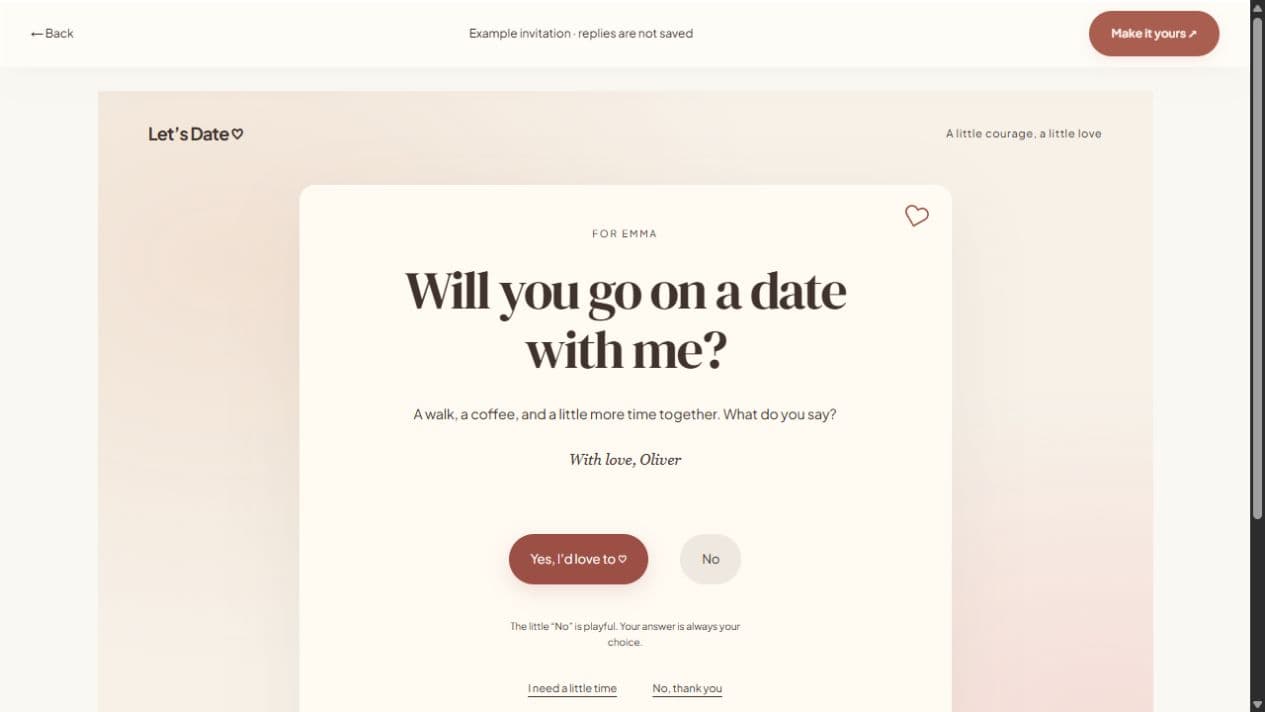
In the invitation studio, change the question to “Will you marry me?” and write a short note underneath. In a full website, place the question in the headline and let the letter explain what you love about your life together. Pick a few meaningful photographs, rather than filling the page simply because there is space.
Keep the answer theirs
A playful button animation is decoration. The recipient can always use a clear decline option or choose that they need more time. Do not describe a maybe as an acceptance. If they respond through the page, read the reply privately and make room for a real conversation afterward.
FROM IDEA TO THEIR SCREEN
Make it in a few thoughtful steps.
Choose a starting style
Open the invitation studio and edit the question to fit your occasion.
Add what matters
Write your note and optionally add a photograph. Enable availability suggestions when plans are flexible.
Preview and publish
Check the recipient view. Sign in, verify your email, and publish. Optional passwords add an access step.
Share your link
Copy the short link or use WhatsApp, email, native sharing, or QR. Edit the draft and publish again to update the same live page.
A little clarity before you start.
Can I edit the proposal question?
Yes. The quick invitation studio includes editable question text. Select a suggested question or write your own before previewing.
Can I keep the proposal page password protected?
Yes. Optional password protection controls access to the published page and its photographs. It does not prevent screenshots or forwarding the password.
Does the page create a wedding invitation?
No. A proposal asks a question. Use a separate wedding invitation once the couple and event plans are confirmed.