THE LET’S DATE GUIDE
How to Make a Personal Proposal Website
To make a proposal website, choose the format, write your own question and story, preview the recipient experience, and publish after verified sign-in. Keep the page personal and the answer voluntary; the website cannot replace a conversation about your future.
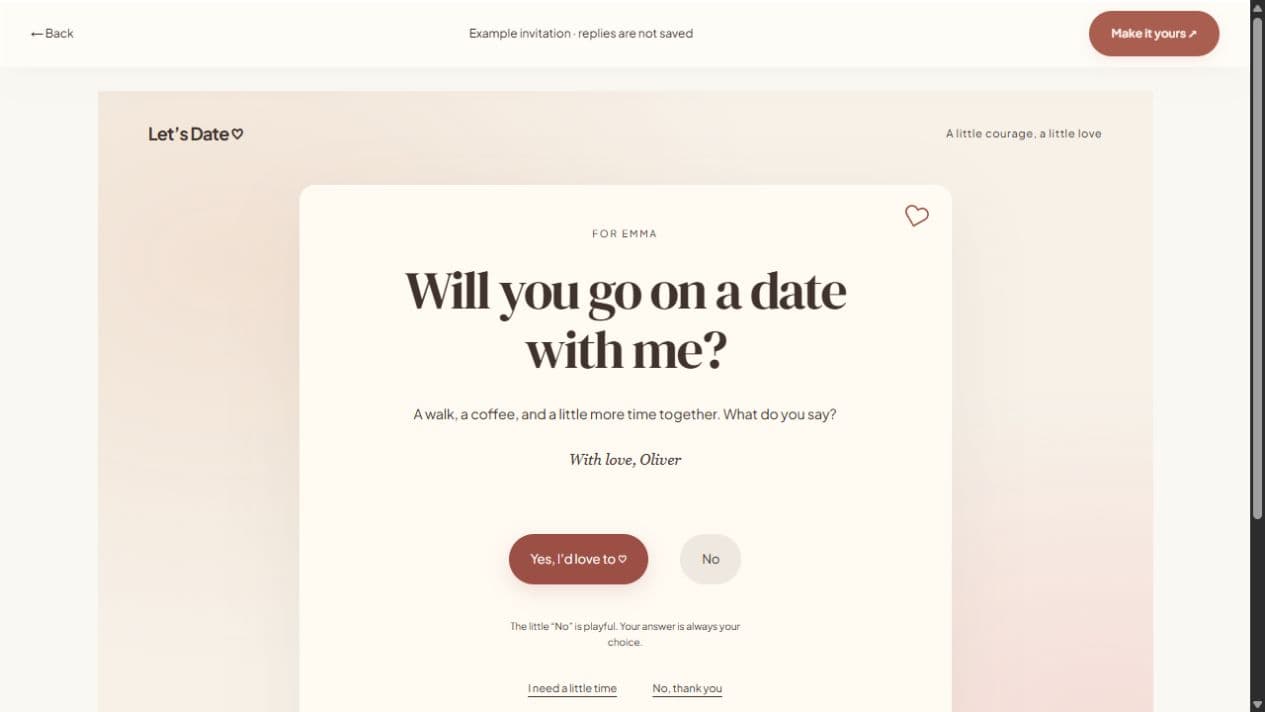
Choose a single question or a fuller story
The quick invitation studio is a good fit for one question, an optional photograph, and a note. Change the question to “Will you marry me?” or your own wording. If you want a letter, a gallery, and a memory timeline, use the full website studio instead and put the question in the headline.
Before making a surprise, consider whether this is a moment the other person would want delivered by a link. It can accompany an in-person proposal or a long-distance conversation. Avoid a public audience that makes them feel expected to give a particular answer.
Write about the life you know together
Name what you appreciate about your actual relationship. A small detail about how you support one another can be more meaningful than an impressive sentence copied from somewhere else. Keep the question visible, and let the letter explain why you want to ask it.
A fictional starting line might be: “I love the life we keep building in the everyday, from the first cup of coffee to the last conversation at night.” Edit it until it sounds like you. Writing prompts in the studio are templates; they do not generate or understand a relationship story.
Keep photographs and personal details intentional
Choose a cover photo you both would be comfortable sharing. Add captions and alternative text if you build a gallery, and crop the cover with the mobile preview in mind. Do not upload private conversations, documents, or photographs someone has asked you not to share.
Use a password if you want an additional access step. Password protection controls who can open the page and obtain temporary image links. It cannot stop the recipient taking screenshots, saving images, or sharing the password. Send the password separately from the link.
Preview the answer, not only the design
Check the wording, names, photo crop, and reply choices. A recipient can say yes, no, or maybe. The decorative No movement includes an explicit decline alternative and must not turn a no into a yes. If the page is only a letter, you can leave responses disabled and talk directly.
Do not add wedding date or venue information as if it is already confirmed. A proposal asks a question; a wedding invitation follows agreed plans. A suggested meeting day or location is also not a booking. Keep those distinctions clear in the note.
Publish and test the real shared page
Sign in, verify your email, and publish. Copy the short link and open it on another device. Test the password if you set one. A local draft or editor URL is not the link you should send. Use the published sharing panel for WhatsApp, email, native sharing, or a QR code.
After sending, give them room. Read a maybe as time to think. If you need to correct the page, edit the draft and publish updates at the same link. When you are ready to plan a wedding, create a separate event website with confirmed details rather than silently changing the original question.