PERSONAL WEBSITES & INVITATIONS
A Valentine that sounds like you.
Make a Valentine surprise with the little details a shop-bought card cannot know. Write a note, collect a few photographs, or ask your favorite person on a date. A personal website gives your words a place to land whether you are together or celebrating from different cities.
Start with a local draft. Verify your email to publish. Guests do not need an account.
MAKE IT PERSONAL
Valentine Website Maker
Choose a note, a date, or a memory
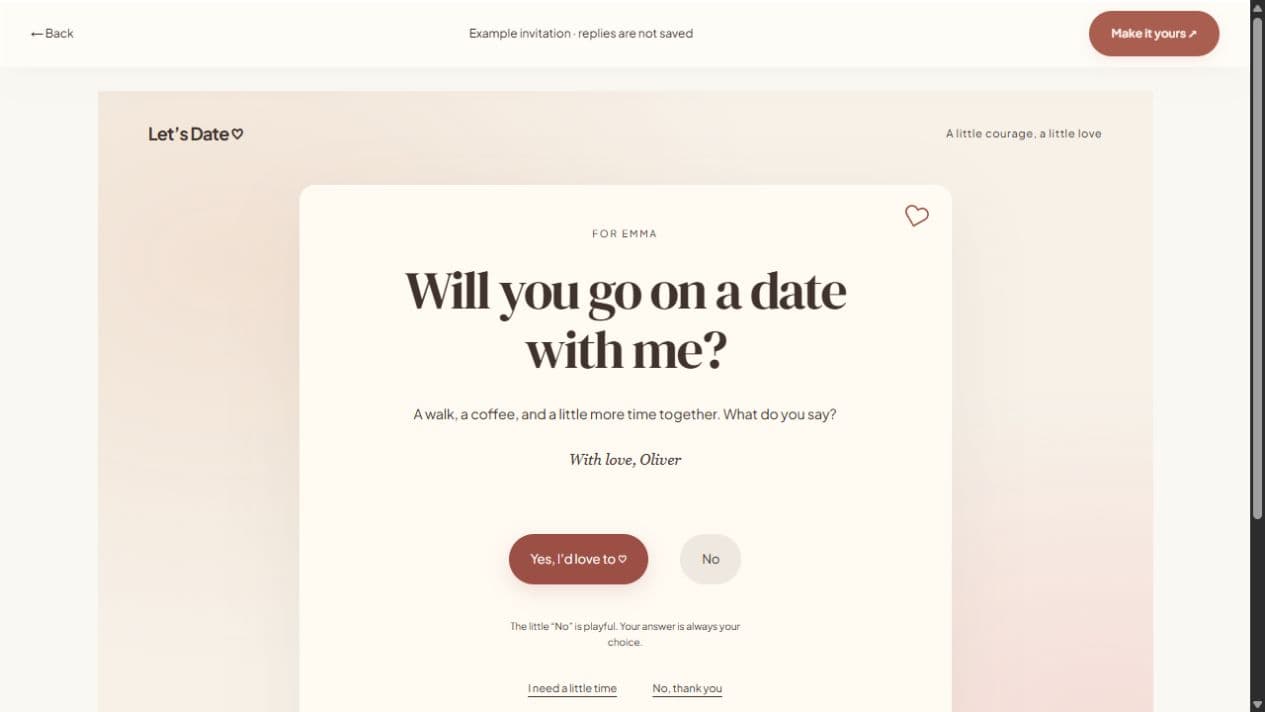
Decide what you want the page to do before adding sections. A love note can stand on its own. A date invitation needs a clear question. A photo surprise can tell the story of a year together. Hide everything else so the person opening the link knows what matters most.
Avoid a generic declaration
Mention a specific quality you appreciate or a moment that made you smile. “I love how you remember everyone’s tea order” says something personal. If you use an editable writing prompt, change it until it sounds like something you would actually say. The writing prompts are templates, not AI-generated messages.
Be thoughtful about timing
Publish only when the page is ready to share. Draft changes do not update the live surprise until you publish again. For a planned date, verify the year, time, timezone, and location yourself; the website does not assume Valentine’s Day or a confirmed booking. For a surprise letter, leave event fields hidden.
FROM IDEA TO THEIR SCREEN
Make it in a few thoughtful steps.
Choose a starting style
Open the invitation studio and edit the question to fit your occasion.
Add what matters
Write your note and optionally add a photograph. Enable availability suggestions when plans are flexible.
Preview and publish
Check the recipient view. Sign in, verify your email, and publish. Optional passwords add an access step.
Share your link
Copy the short link or use WhatsApp, email, native sharing, or QR. Edit the draft and publish again to update the same live page.
A little clarity before you start.
Can I use it outside Valentine’s Day?
Yes. You can create and share a personal note any day of the year. The occasion does not set an automatic event date.
Do I have to upload a photograph?
No. A clear question and a personal note can be enough. Photographs and other sections are optional.
Can I share it through WhatsApp?
Yes. Publishing provides WhatsApp sharing, email sharing, copy-link, native sharing where supported, and a QR code.