PERSONAL WEBSITES & INVITATIONS
A little courage for the big night.
A promposal link can make a simple question feel special without turning it into a public performance. Write an invitation in your own words, choose a style, and send it directly. Let the recipient answer yes, no, or maybe in their own time.
Start with a local draft. Verify your email to publish. Guests do not need an account.
MAKE IT PERSONAL
Promposal Website Maker
Make the question specific
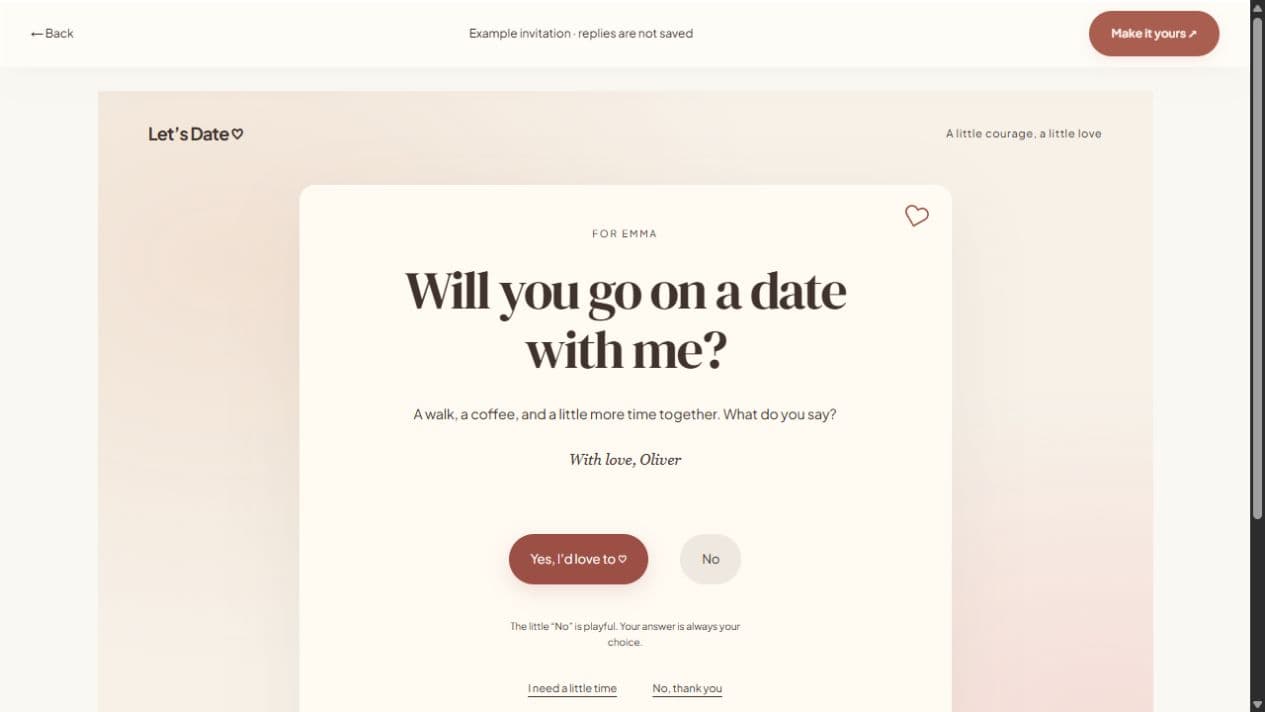
Change the question in the invitation studio to ask about prom. Mention the event in your note so they know what you mean. If the date or location is not confirmed, avoid presenting it as a settled plan. You can discuss those details after they answer.
Avoid putting them on the spot
A private message often gives someone more space than a group chat or a public display. A playful animation can add warmth, but the clear decline and “I need a little time” options remain available. Read a maybe as a request for time, not a promise.
Keep the link focused
One photograph and one thoughtful note are enough for a quick proposal. Add only pictures you have permission to share. A password can help limit access, but it cannot stop the recipient from taking a screenshot or forwarding the password.
FROM IDEA TO THEIR SCREEN
Make it in a few thoughtful steps.
Choose a starting style
Open the invitation studio and edit the question to fit your occasion.
Add what matters
Write your note and optionally add a photograph. Enable availability suggestions when plans are flexible.
Preview and publish
Check the recipient view. Sign in, verify your email, and publish. Optional passwords add an access step.
Share your link
Copy the short link or use WhatsApp, email, native sharing, or QR. Edit the draft and publish again to update the same live page.
A little clarity before you start.
Can I change “date” to “prom” in the question?
Yes. The invitation question is editable; write your own prom invitation.
Can the recipient say no?
Yes. A clear decline option remains available, including keyboard and reduced-motion access.
Can I add official prom details?
For a fuller page with an event section, use the prom invitation website flow and enter confirmed details.