PERSONAL WEBSITES & INVITATIONS
You do not need a special reason.
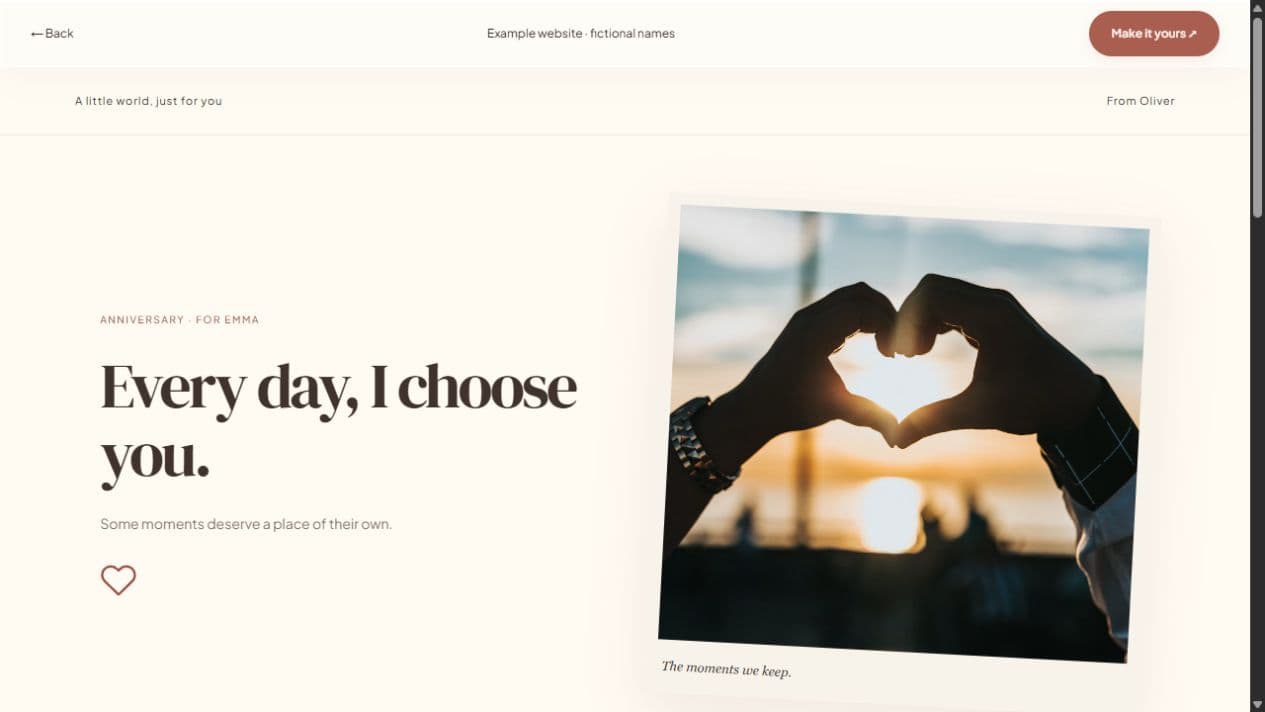
A personal celebration website gives a feeling its own page. Start from any style, write your message, and choose the photographs or memories that belong with it. Make a thank-you, a welcome-home surprise, or a celebration that does not fit a preset.
Start with a local draft. Verify your email to publish. Guests do not need an account.
MAKE IT PERSONAL
Personal Celebration Website Maker
Decide what the page should say
Write one sentence about why you are making it. Use that sentence to choose the headline and sections. A thoughtful note can be a complete website; you do not need to upload photos, invent an event, or enable responses just because those controls are available.
Make a style of your own
Edit colors, typography, surface shapes, gallery layout, decorations, and headings with the visual controls. Save the design as a named style in this browser, or export it as design-only JSON to reuse elsewhere. You do not need to write code.
Publish when you are ready
Anonymous drafts and photos stay on this device. Sign in to save online and verify your email to publish. Publishing creates a short link; later explicit publishing updates that page. A local draft is not a shareable live website until publication succeeds.
FROM IDEA TO THEIR SCREEN
Make it in a few thoughtful steps.
Choose a starting style
Choose the occasion, then a template. Every occasion can use every style.
Add what matters
Add your letter, pictures, captions, and memories. Hide unused sections and enter only confirmed event details.
Preview and publish
Check the recipient view. Sign in, verify your email, and publish. Optional passwords add an access step.
Share your link
Copy the short link or use WhatsApp, email, native sharing, or QR. Edit the draft and publish again to update the same live page.
A little clarity before you start.
Can I start without creating an account?
Yes. Start and save a local draft in this browser. Verified sign-in is required to publish.
Can I choose a custom link name?
Yes, when an available name passes validation. A chosen published name is permanent; the original random link continues to work.
Can I remove a shared page?
You can unpublish or delete it in the dashboard. Previously downloaded photographs and forwarded copies cannot be recalled.